OpenAI ChatGPT Plus/Pro Provider
This provider connects Roo Code to OpenAI's models through your ChatGPT Plus or Pro subscription. Authentication uses OAuth, so no API keys are required. Usage counts against your subscription instead of separate API billing.
Setup
- Create a new API configuration profile in Roo Code settings.
- Choose "OpenAI - ChatGPT Plus/Pro" from the provider dropdown.
- Click "Sign In" to open your browser for authentication.
- Sign in to your OpenAI account when prompted.
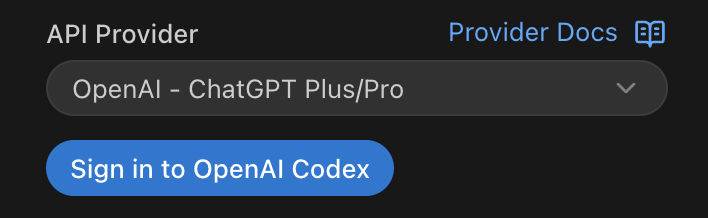
Once authenticated, you're connected. The OAuth token refreshes automatically, so you won't need to sign in again unless you explicitly sign out.
Available Models
Model availability depends on your ChatGPT Plus or Pro subscription tier. The provider uses the models available to your account through the ChatGPT web interface.
For current model access based on subscription type, see OpenAI's ChatGPT plans.
Tips and Notes
- Subscription Required: You need an active ChatGPT Plus or Pro subscription. This provider won't work with free ChatGPT accounts.
- No API Costs: Usage through this provider counts against your ChatGPT subscription, not separately billed API usage.
- Sign Out: To disconnect, use the "Sign Out" button in the provider settings.
- Alternative: If you prefer direct API access with pay-per-use billing, see the OpenAI provider instead.